Simplify Copilot Review 2026: Free Autofill Tested on 40 Apps
Simplify Copilot's free autofill saved about 3 minutes per Greenhouse app in our 40-app test but broke on Workday. Here is its pricing, safety and Autopilot.
Simplify Copilot is worth installing if you want free autofill and you are happy to find each job and press submit yourself. In our test on 40 applications, the free extension saved about 3 minutes on each Greenhouse application, but it fell apart on Workday multi-step forms and on custom company forms. It does not watch for new jobs, and on the web it never submits for you, so if you want new matching jobs applied to minutes after they post, Scoutify's Sniper is the better fit.
This Simplify Copilot review covers what the extension does, what our test showed, what Simplify+ and the new Autopilot cost, whether it is safe, and when autofill is enough. I built Scoutify, which makes Sniper, so you should weigh my opinion with that in mind. I still think Simplify is one of the best free tools a job seeker can install.
Simplify Copilot at a Glance
| Question | Answer (checked September 30, 2026) |
|---|---|
| What it is | A Chrome and Firefox extension that fills job applications from a saved profile |
| Where it works | Simplify says 100,000+ company career sites, including Workday, Greenhouse, Lever, iCIMS, Taleo and SmartRecruiters |
| Does it submit for you? | Not in the browser; the Autopilot beta can submit for some Simplify+ members |
| Does it find new jobs? | It shows job matches and curated lists, but it does not apply to new postings on its own |
| Price | Autofill is free; Simplify+ is reported at $19.99 a week or $39.99 a month |
| Our verdict | Install it for hand-picked applications; use Sniper when you want applications sent for you |
What Simplify Copilot Does
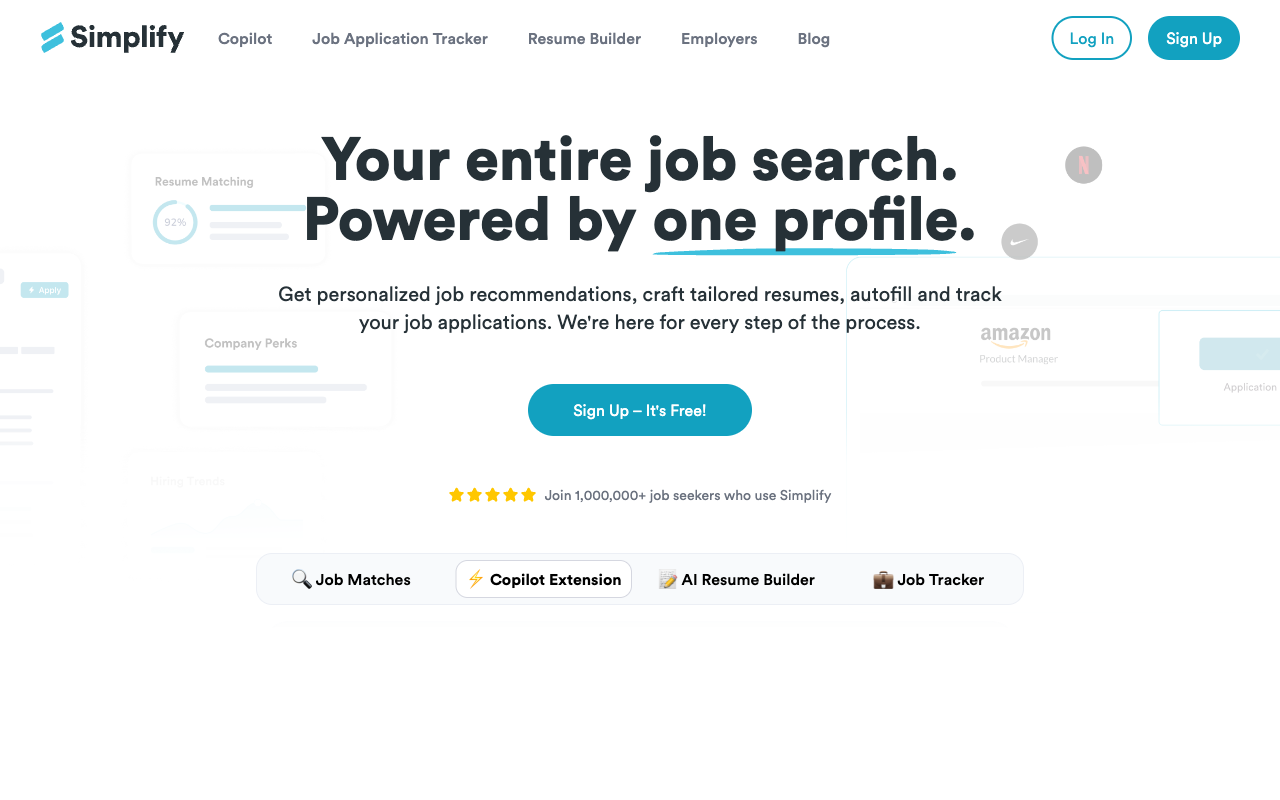
Simplify installs as a Chrome extension, and a Firefox version is also available. When you land on an application page it recognizes, it reads the form fields, matches them against the profile you saved, and fills them in with one click. Your name, email, phone number, work history, education, LinkedIn URL, portfolio link and saved answers to custom questions all get populated.
Simplify describes Copilot as an extension that autofills applications on more than 100,000 company career sites. The systems it covers include Workday, Greenhouse, Lever, iCIMS, Taleo, SmartRecruiters, Avature, BambooHR, Jobvite and Ashby. The coverage is impressive, and I would expect most job seekers to find that 80 to 90% of the applications they open are supported. Coverage matters because most tech companies use one of a handful of these systems, so a Greenhouse form looks much the same whether you are applying to Stripe or Notion.
Setting up your profile
After you install the extension, Simplify asks you to build a profile with your contact details, work history, education, skills and answers to common screening questions such as work authorization and willingness to relocate. A thorough setup takes about 10 to 15 minutes, and every field you complete is a field you will not type again. You can also import a resume for parsing, which works well on standard layouts, although you may need to fix a few fields by hand if your resume uses an unusual design.
Handling custom questions
Many applications ask custom questions, such as why you want to work there or what salary you expect. Simplify lets you save answers to common question types and reuses them when it detects a similar question, and you can keep several versions and pick the right one during autofill. The open-ended questions are still where most of your time goes, which is true of every autofill tool.
What Our 40-Application Test Showed
We used Simplify Copilot on 40 real applications. The clearest result was on Greenhouse, where the free autofill saved about 3 minutes per application, because Greenhouse forms are consistent from one employer to the next. Lever forms were also reliable. Workday was a different story: Simplify filled the basic fields, but multi-step forms and custom dropdowns needed manual work, and on custom company forms it fell apart.
That pattern is not unique to Simplify. Each employer configures Workday differently, with different field names, page orders and required questions, so consistent autofill is hard for any tool. If most of your target companies run on Workday, plan to check every page before you click next.
Copilot Features Beyond Autofill
Simplify also reads job descriptions on LinkedIn and on company career pages, highlights the key requirements, and shows how well your profile matches. It can tailor your resume for a posting, and it tracks the applications you submit through the extension. Its site publishes curated job lists, including popular internship and new-grad lists, which is a big reason students install it. These features are useful for a quick fit check, although they do not replace a careful read of the posting.
Is Simplify Copilot Free? Pricing and Simplify+
Simplify Copilot's autofill is free, and it is a genuine free tier rather than a trial. The job matches and the application tracker are free as well. Simplify+ is the paid plan, which adds more AI features, and it is the plan that unlocks the Autopilot beta.
Simplify does not publish a pricing page, and Simplify+ prices appear only inside the app. As of September 30, 2026, third-party reviews report Simplify+ at $19.99 for one week, $39.99 for one month, or $89.99 for three months, so you should confirm the price in the app before you subscribe. For comparison, SpeedyApply's premium plan cost $19 a month when we reviewed it, which is worth paying only if its Workday and Greenhouse handling suits your list better; our SpeedyApply review covers that trade-off.
Simplify Autopilot on iOS: Does Simplify Apply for You?
Until recently, Simplify never submitted anything. That changed with Autopilot, which Simplify's help center describes as an agent that opens the company's application portal, fills it in from your Simplify profile, tailors your resume, writes a cover letter if you ask for one, and submits the application. Autopilot is in beta and available to a subset of Simplify+ members, and you can use it from the Simplify iOS app, where it was reported to launch in August 2026.
Two details matter. Autopilot applies only to jobs you choose, so it does not go looking for new postings on its own, and it works only on application systems it supports. Simplify also says that if Autopilot is not confident an answer is right, it fails the application rather than submit something wrong, and you do not lose a credit. I have not tested Autopilot yet, so I cannot tell you how often that happens.
Autofill or Auto-Apply: When Simplify Is Enough
The difference between Simplify and Sniper comes down to who does the finding and who presses submit. Simplify fills the form on 100,000+ career sites after you have found the job, and then you read it and press submit. Sniper finds new jobs that fit your roles, locations and visa needs on the career pages Scoutify watches, and then it submits the application for you on the sites it supports, which today are Workday, Greenhouse and SmartRecruiters, with Ashby and Lever rolling out. Our guide to autofill vs auto-apply goes deeper on the two approaches.
I think Simplify is enough in three situations. The first is when you apply to a handful of hand-picked jobs each week and want to write the open-ended answers yourself. The second is when your target companies use portals that Sniper does not support, such as iCIMS or Taleo, because Simplify still fills those forms. The third is when you simply want to see every answer before an employer does, which costs you time but gives you full control.
Sniper is the better choice when you apply to the same kind of job every week and timing matters. Autofill only saves time once you are sitting at the form, so a job that posted at 2 AM still waits until you wake up and find it. Sniper applies while you sleep, usually minutes after a matching job posts, and it sends one application per posting with your real resume. Most employers send a confirmation email (in our data, 68% of Sniper applications get one, with a median of 1.2 minutes after submitting), and those confirmations and any replies land in Scoutify Mail, so you can check that each application arrived. Our Scoutify vs Simplify comparison lays out the two side by side.
Simplify Copilot vs Sniper
| Feature | Simplify Copilot | Scoutify Sniper |
|---|---|---|
| Who finds the job | You do | Scoutify, from 70,000+ career pages |
| Who presses submit | You do (Autopilot beta aside) | Sniper does |
| How soon after posting | Whenever you open the form | Usually minutes after a matching job posts |
| Where it works | 100,000+ career sites (as Simplify states) | Workday, Greenhouse and SmartRecruiters; Ashby and Lever rolling out |
| Proof it arrived | You see the confirmation page yourself | The employer's confirmation email, filed in Scoutify Mail |
| Price | Free autofill; Simplify+ reported from $19.99 a week | $25 a week for up to 500 applications; first 25 free |
The two also work together. Simplify is still useful for the jobs Sniper cannot reach, so many people let Sniper handle new postings on supported career sites and keep Simplify installed for everything else.
Is Simplify Copilot Safe?
Simplify Copilot is safe in the sense that matters most for your job search, because you see and submit every application yourself, so it cannot send a wrong answer without you noticing. The privacy trade-off is that Simplify stores your profile, work history and saved answers on its servers so they sync across devices, and the extension needs permission to read and change the pages you visit in order to fill forms. Those permissions are standard for autofill extensions, but you should know about them.
Public reviews are mixed. On September 30, 2026, Simplify had a TrustScore of 3.1 from 19 reviews on Trustpilot, and the complaints centered on paid features, refunds, support and autofill reliability rather than on data misuse. The free extension carries little risk, and I would read the Simplify+ terms carefully before paying.
Reliability and Edge Cases
No autofill tool is perfect. Some older Workday setups use form elements that resist autofill, smaller companies with custom forms may not be recognized at all, and international applications with country-specific fields sometimes confuse the mapping. The extension is actively maintained, the team ships updates for new ATS versions, and users on Reddit and Discord share fixes for tricky forms.
Who Should Use Simplify Copilot?
Simplify is a great fit for students and early-career candidates who apply by hand and want to stop retyping the same fields, especially during internship season. If you are working through Summer 2027 internships or job alerts for new grads, it will save you real time on each form. It also suits anyone whose target companies use portals outside Sniper's supported list.
It is a weaker fit if your problem is finding jobs early or keeping up with volume, because it starts working only after you have found the posting and opened the form.
Frequently Asked Questions
Is Simplify Copilot worth it?
Simplify Copilot is worth it for most people who apply by hand, because the autofill is free and saved about 3 minutes per Greenhouse application in our test. It is less useful on Workday multi-step forms and custom company forms, and it does not find new jobs or apply for you in the browser.
Is Simplify Copilot free?
Simplify Copilot's autofill, job matches and application tracker are free. Simplify+ is the paid plan, and third-party reviews report it at $19.99 a week, $39.99 a month or $89.99 for three months as of September 30, 2026, although Simplify shows the price only in the app.
Is Simplify Copilot safe?
Simplify Copilot is generally safe to use, because you review and submit every application yourself. It stores your profile on its servers and needs permission to read and change the pages you visit, which is standard for autofill extensions.
Does Simplify apply for you?
The Simplify browser extension does not apply for you; it fills the form, and you press submit. Simplify's Autopilot beta, available to some Simplify+ members and in the iOS app, can submit applications to jobs you choose on supported application systems.
Does Simplify work on Workday?
Simplify handles basic Workday fields, but it struggles with multi-step forms and custom dropdowns, so Workday applications need more manual work. It is most reliable on Greenhouse and Lever.
The Bottom Line
Simplify Copilot delivers what it promises: fast, free autofill across a huge range of career sites. The setup is quick, the accuracy is strong on Greenhouse and Lever, and the free tier is generous enough that I would tell almost anyone who applies by hand to install it.
Its limit is that it only speeds up the step where you are already sitting at the form. If you want new jobs that fit you applied to minutes after they post, including the ones that go up overnight, let Sniper apply on the employer's career site and keep Simplify for the portals Sniper does not cover. Your first 25 Sniper applications are free.
Related Reviews and Guides
- Our list of the best auto-apply tools ranks the tools that submit for you.
- Our guide to the best autofill tools for job applications compares Simplify with other extensions.
- Our Jobright review covers the AI copilot that people most often compare with Simplify.
- The job search tool comparison matrix puts 20+ tools in one table.
Written by
Jules Lemée
Founder of Scoutify
Founder of Scoutify. Has worked as a cloud engineer, software engineer, and ML researcher, while also leading product and go-to-market at startups. Serial tech entrepreneur since age 13, with ventures reaching tens of thousands of users.
Stop refreshing LinkedIn.
Browse the job board free, no account needed. Real-time alerts from 70,000+ company career pages start at $5/week, so your phone buzzes the minute a matching job goes live.
BROWSE JOBS - FREE