Teal Review 2026: 30 Resumes Built. The Match Score Lies.
Teal's match score mostly counts keywords. I built 30 resumes and tracked callbacks. Here is the one feature worth $29/mo, three you can ignore, and what applies for you.
Is Teal worth it? Teal is worth paying for if you tailor your resume for many applications, because its resume tailoring is the one feature worth $29 a month, but its match score mostly counts keywords, and Teal does not find jobs or apply to them for you. I built 30 resumes in Teal and tracked the callbacks, and this Teal review covers what I would pay for, the three features you can ignore, and what to use if you want the application sent for you.
I am the founder of Scoutify, so you should read my opinion with that in mind, although Teal and Scoutify do mostly different jobs. Teal helps you write and organize applications. Scoutify is AI job search that applies for you first: it watches 70,000+ company career pages, and our Sniper auto-apply plan submits your resume to new jobs that fit you, minutes after they post.
What Is Teal?
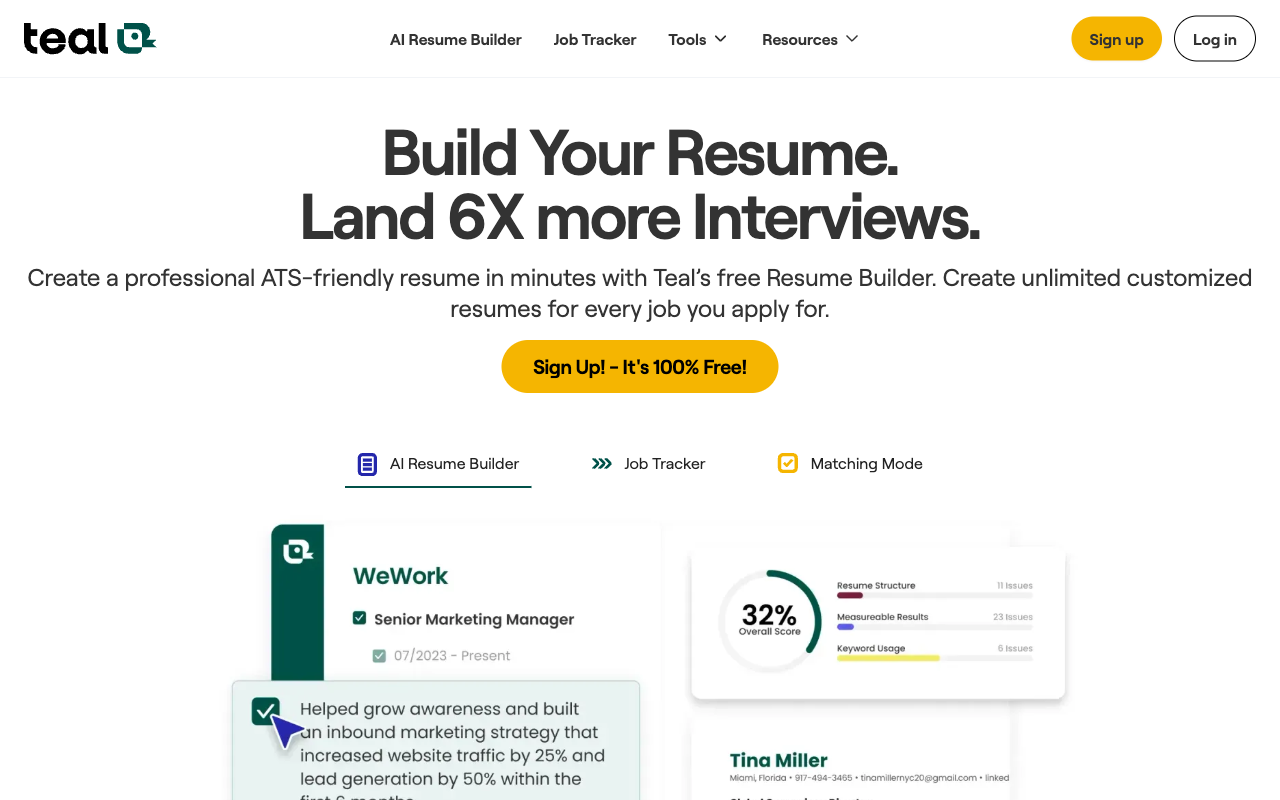
Teal is a job search management platform that puts an AI resume builder, a Kanban-style application tracker, a Chrome extension for saving jobs and job recommendations in one workspace. It started as a job tracker and has grown into resume writing and career coaching.
Teal's pitch is that most job seekers use a patchwork of tools: Google Docs for resumes, a spreadsheet for tracking, LinkedIn for searching and email for follow-ups. Teal puts all of that in one dashboard. The real question is whether that adds value or just gives you one more tool to manage.
Key Features
- The AI Resume Builder tailors your resume to a job description. You keep a master resume, Teal compares it with the posting, suggests keywords, skills and phrasing, and gives you a match score.
- The Job Tracker is a Kanban board with stages such as Saved, Applied, Interview, Offer and Rejected, and each card holds notes, reminders and follow-up dates.
- The Chrome extension saves listings from LinkedIn, Indeed, Glassdoor and other sites into your tracker with one click, and it pulls in the title, company, location and description.
- Job Matching recommends listings based on your stated preferences and your resume.
- The AI cover letter tool drafts a letter for a specific job, which you then need to edit.
- A Work Style Assessment quiz suggests role preferences and interview talking points.
- Contact tracking links networking contacts and referral sources to each application.
The Match Score Mostly Counts Keywords
Teal's match score is the number most people watch, and in my 30 resumes it mostly measured keyword overlap with the job description. That is useful as a checklist, because a missing keyword can keep you out of a recruiter's search, but a high score does not mean the resume is good. You can push the score up by pasting in terms from the posting, and the resume can read worse for it.
So I would use the score to catch gaps, not as a goal. If you want to understand how applicant tracking systems actually read a resume, our Jobscan review covers the tool built around that question.
Pricing
Teal has a free plan and one paid tier, Teal+. The free plan includes the job tracker, the Chrome extension, the resume builder and limited AI features. In September 2026, Teal+ cost $29 a month, $13 a week or $79 a quarter, according to third-party pricing trackers, so confirm the price on Teal's site before you pay. Teal+ adds unlimited AI resume tailoring, AI cover letters, keyword matching and fuller job matching.
At $29 a month, Teal sits at the upper end of resume and tracking tools. The weekly plan works out to about $52 a month, so it only makes sense for a short, intense stretch.
The One Feature Worth $29 a Month
Resume tailoring is the feature I would pay for. Teal reads a job description, points out missing keywords, suggests stronger phrasing and lets you save a tailored version without rewriting your master resume from scratch. If you apply to many companies and change your resume for each one, that saves real time compared with editing documents by hand.
Three Features You Can Ignore
- The Work Style Assessment is a personality quiz that adds little to a job search, and you can skip it without missing anything.
- Contact tracking duplicates what a simple notes field already does, and it feels like it was added to pad the feature list.
- Job recommendations sit inside the app with no push notifications, so they are not a real way to find new jobs quickly.
What We Like
- Resume tailoring is the standout feature, because it highlights missing keywords, suggests better phrasing and saves time compared with rewriting each resume.
- The Chrome extension works well, and it reliably captures job details from major sites into your tracker.
- The Kanban tracker is easier to manage than a spreadsheet when you have 20 or more active applications.
- The onboarding is smooth, and the product feels polished.
- The free plan is good enough to try the tracker and basic resume features before you pay.
Where It Falls Short
- Teal has no real-time job alerts. It does not watch company career pages, so if a competitive role opens at 2 PM, you find out whenever you next open a job board, which could be hours or days later.
- Job discovery is secondary. Teal helps you organize jobs you find elsewhere, and you still need another tool to find new listings.
- The premium price is hard to justify for one feature. Google Docs handles resumes, Notion or a spreadsheet handles tracking, and Jobscan does ATS checks.
- The AI output needs editing. Resume suggestions sometimes miss industry details, and cover letter drafts read as generic unless you rework them.
- Teal does not apply for you. It does not fill in or submit the employer's application form.
Teal vs Sniper
Teal and Sniper do different jobs, and the difference is the submit button. Teal is a tracker with a resume tool: you find the job somewhere else, save it with the extension, tailor your resume, and then open the employer's form and fill it in yourself. Sniper is a tool that submits. Scoutify watches 70,000+ company career pages, and when a new job on a Workday, Greenhouse or SmartRecruiters career site fits your roles, locations and visa needs, Sniper fills in the employer's form with your real resume and submits it minutes after the job posts, around the clock, including while you sleep. Support for Ashby and Lever is rolling out.
Most employers answer a completed application with their own confirmation email, and those confirmations and any replies land in Scoutify Mail, so you can check that each application arrived. Sniper never logs in to your LinkedIn account, and it sends one application per posting. It does not tailor your resume, so the two tools fit together well: build a strong resume in Teal, upload it to Scoutify, and let Sniper send it. Our guide to autofill vs auto-apply explains the difference between tools that fill forms and tools that send them.
Sniper costs $25 a week for up to 500 applications, Auto Apply costs $15 a week for up to 200, and Alerts cost $5 a week. Your first 25 applications are free, with no card. For a direct comparison, see Scoutify vs Teal, and for the tools that do submit applications, see the best auto-apply tools in 2026.
Who Should Use Teal?
Teal fits organized job seekers who manage many applications and want one workspace for them. If you apply to 30 or more roles, tailor your resume for each one and track follow-ups across several companies, its dashboard helps. It is especially useful for career changers who need to rework each application and for candidates who find spreadsheet tracking unwieldy.
Teal is less useful if your problem is finding new jobs quickly or getting applications out the door. It does not help you hear about openings before other candidates, and it does not submit anything.
Bottom Line
Teal is a well-designed job search manager with a strong resume tailoring engine, a practical Chrome extension and a clean Kanban tracker. Pay for it if you will use resume tailoring every week, treat the match score as a keyword checklist, and skip the extras.
Teal does not help you find jobs or send applications. You can still pair it with a job board and fill in each form yourself, or let Sniper find the job and apply: start with 25 free Sniper applications and keep Teal for the resume.
Frequently Asked Questions
Is Teal worth it?
Teal is worth it if you tailor your resume for many applications, because resume tailoring is the one feature worth $29 a month. Its match score mostly counts keywords, and Teal does not find jobs or apply for you, so it is less valuable if your problem is speed.
Is Teal free?
Teal has a free plan with the job tracker, the Chrome extension, the resume builder and limited AI features. Teal+ adds unlimited AI tailoring and cost $29 a month, $13 a week or $79 a quarter in September 2026.
Does Teal apply for you?
Teal does not apply for you. It saves jobs, tailors your resume and tracks your applications, and you fill in and submit each employer's form yourself. Scoutify's Sniper submits applications for you on supported career sites minutes after a job posts.
Does Teal have job alerts?
Teal does not send real-time push notifications for new job postings. It focuses on resume building, job tracking and application management rather than job discovery.
Is Teal good for ATS optimization?
Teal is useful for ATS optimization, because its resume builder compares your resume with a job description and suggests missing keywords. Its match score mostly counts those keywords, so you should still read the resume as a person would.
More Tool Reviews
- Best Job Search Tools 2026 ranks resume tools and trackers.
- Our Huntr review covers the main tracker alternative.
- Our Careerflow review covers a cheaper all-in-one tool with a LinkedIn optimizer.
- Our Simplify review covers a free autofill extension.
Written by
Jules Lemée
Founder of Scoutify
Founder of Scoutify. Has worked as a cloud engineer, software engineer, and ML researcher, while also leading product and go-to-market at startups. Serial tech entrepreneur since age 13, with ventures reaching tens of thousands of users.
Stop refreshing LinkedIn.
Browse the job board free, no account needed. Real-time alerts from 70,000+ company career pages start at $5/week, so your phone buzzes the minute a matching job goes live.
BROWSE JOBS - FREE